A shared store
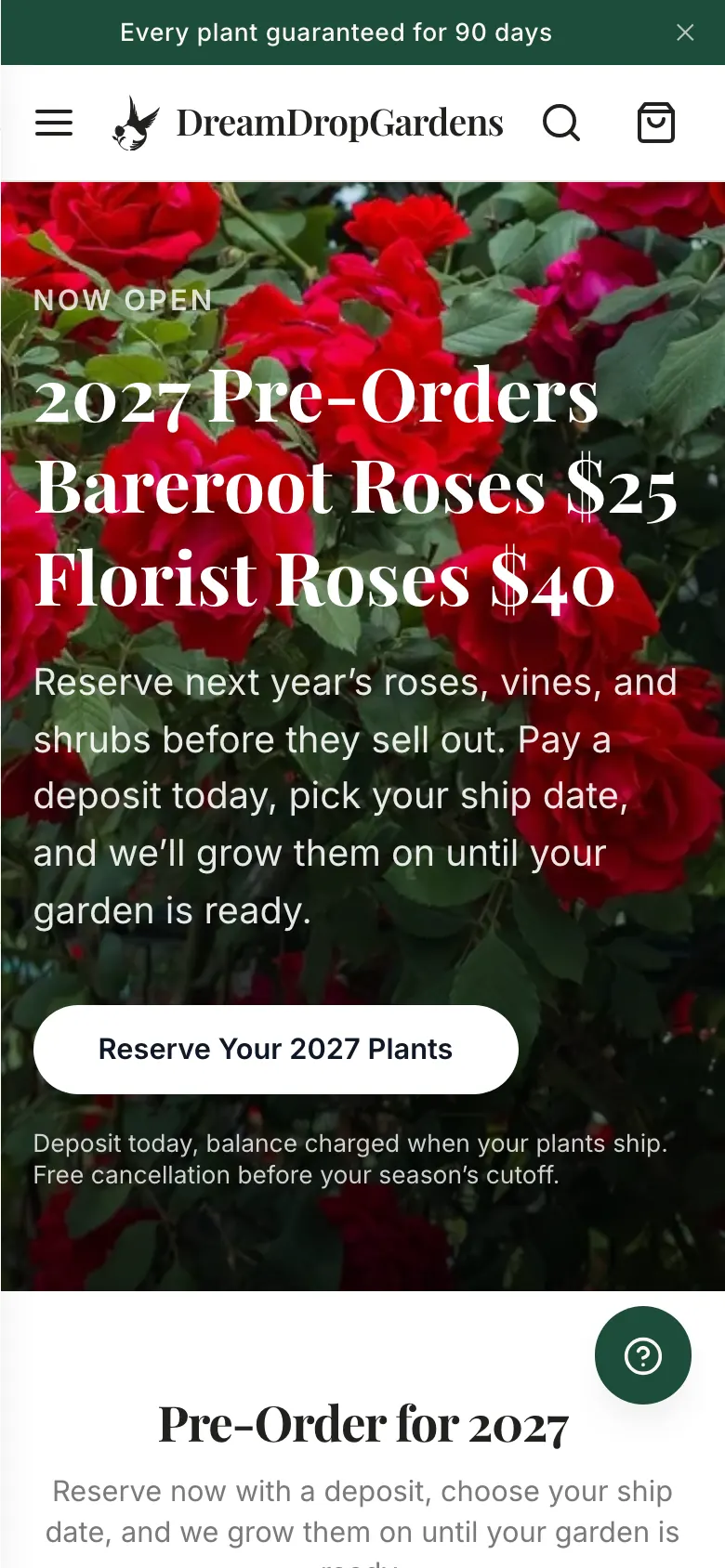
The same Shopify store powers DreamDrop Gardens, a separate headless plant site. Products, collections and menus are shared — so the redesign could only touch the theme. Renaming one collection would have broken the other site.
Case study · Realmdrop Shop
Realmdrop Shop sells everyday goods, beauty, toys and plants on Shopify. We storyboarded a new look, then turned it into a working theme screen by screen — seven live releases in a day, each one saved and reversible.
Introduction
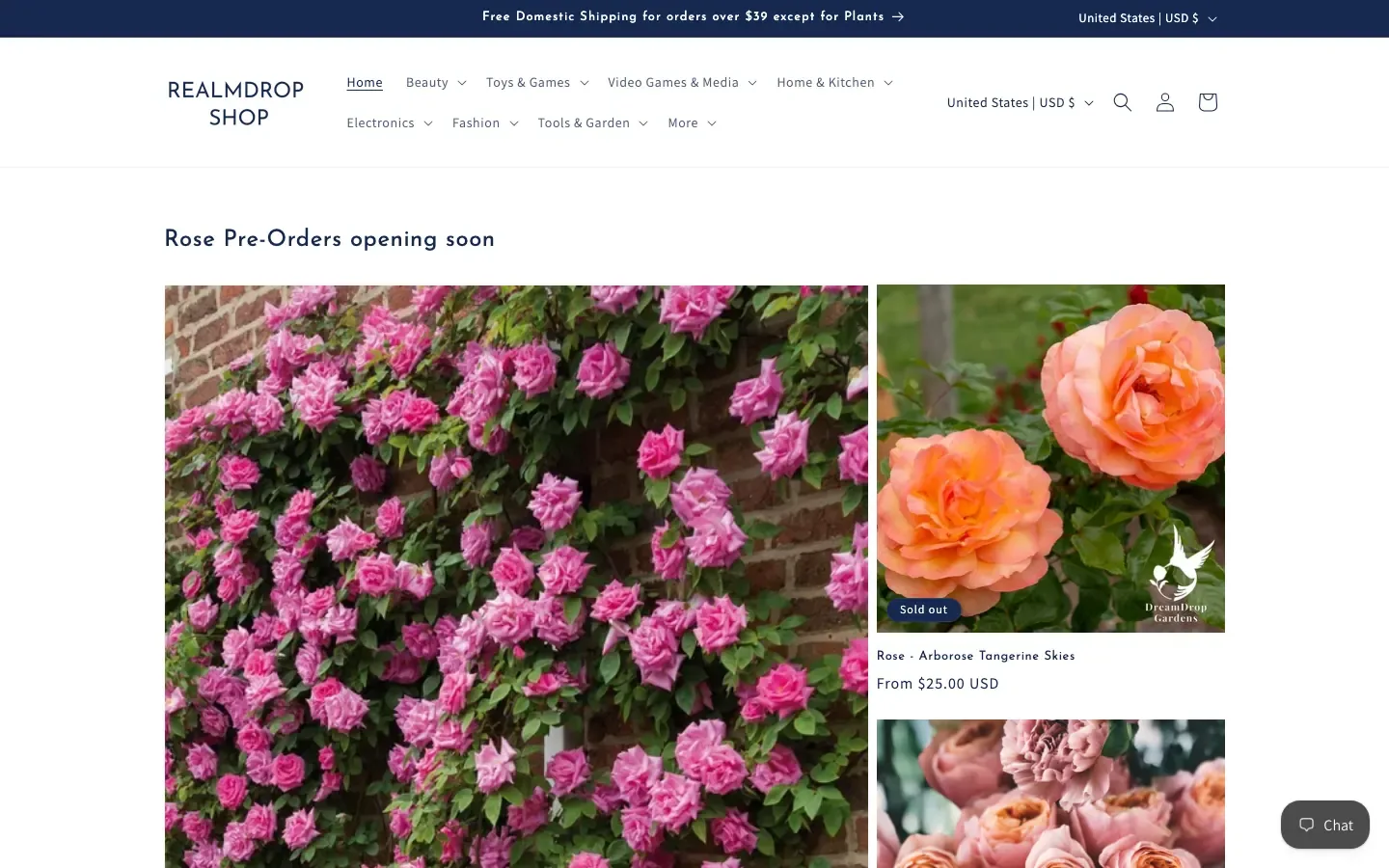
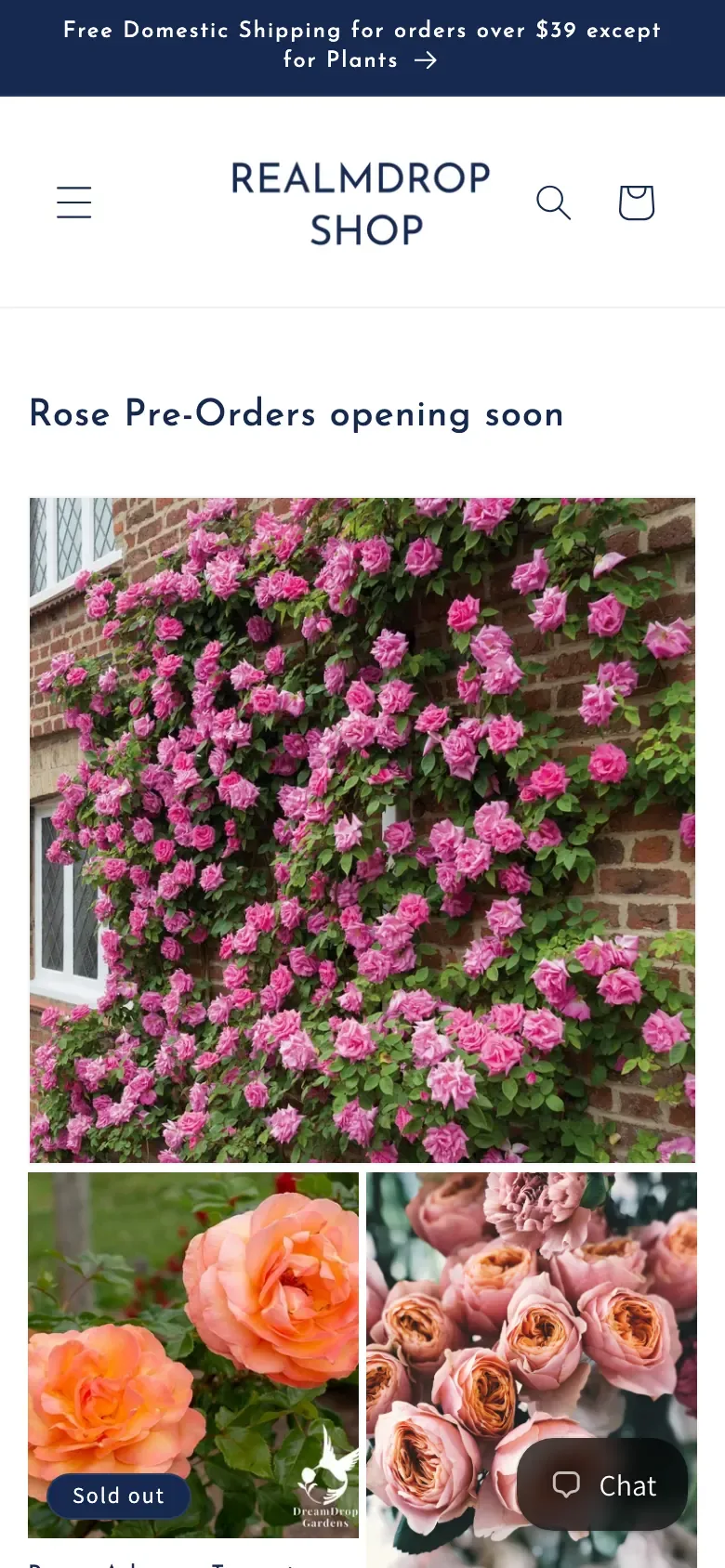
Realmdrop Shop sells everyday goods — beauty, toys, games, tech, home — plus plants for its sister store, DreamDrop Gardens. It ran on Shopify's free Dawn theme with a few add-ons: clean, but built for small catalogues. With thousands of products across dozens of departments, shoppers scrolled through identical galleries, hunted for search, and couldn't tell a deal from a sold-out item.
We started by storyboarding the new look as HTML design files, then turned that storyboard into a working theme — without touching the products and collections the plant site also depends on, and without ever editing the live store. This is how we did it in 24 hours, and what we learned along the way.
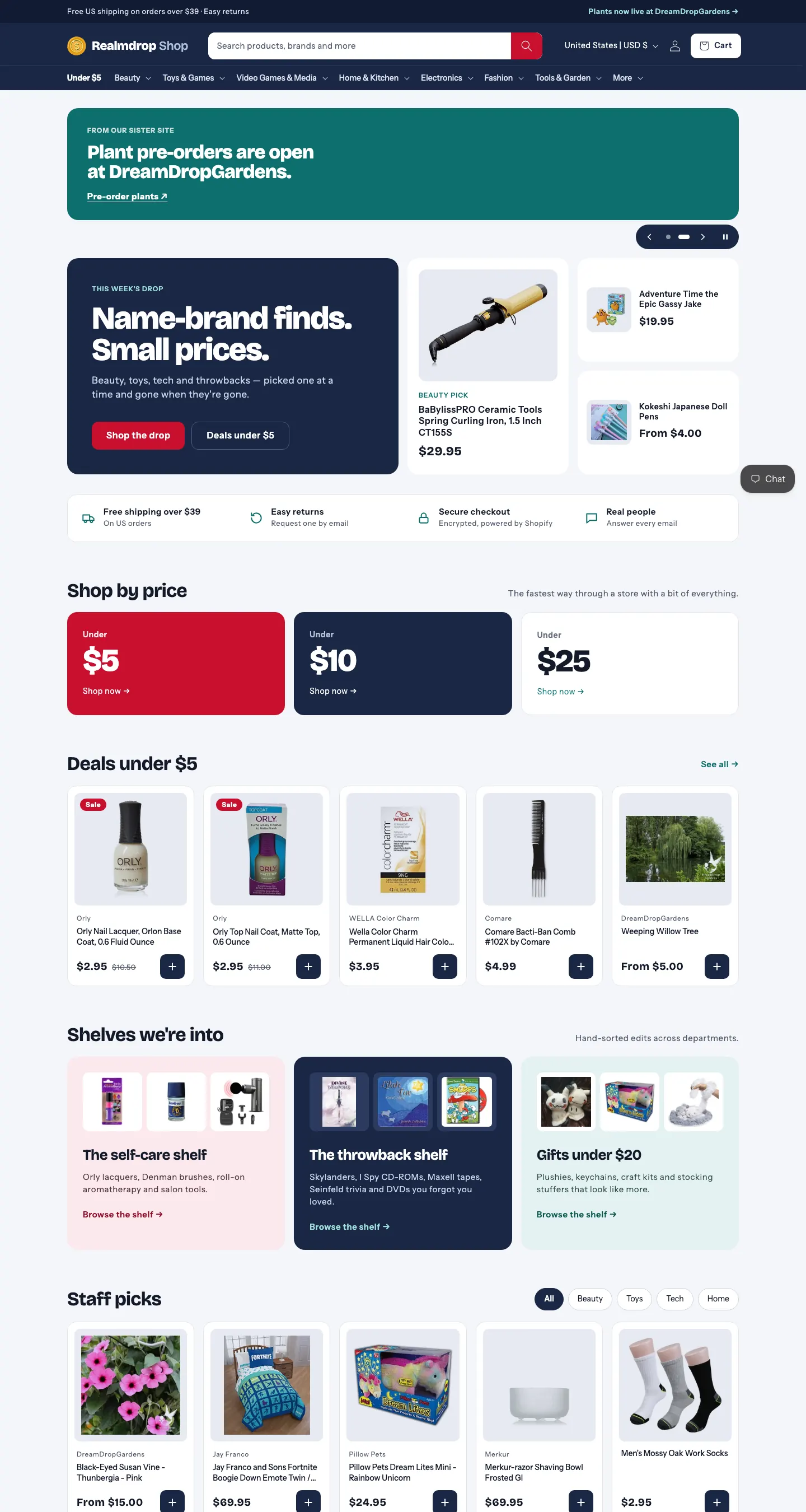
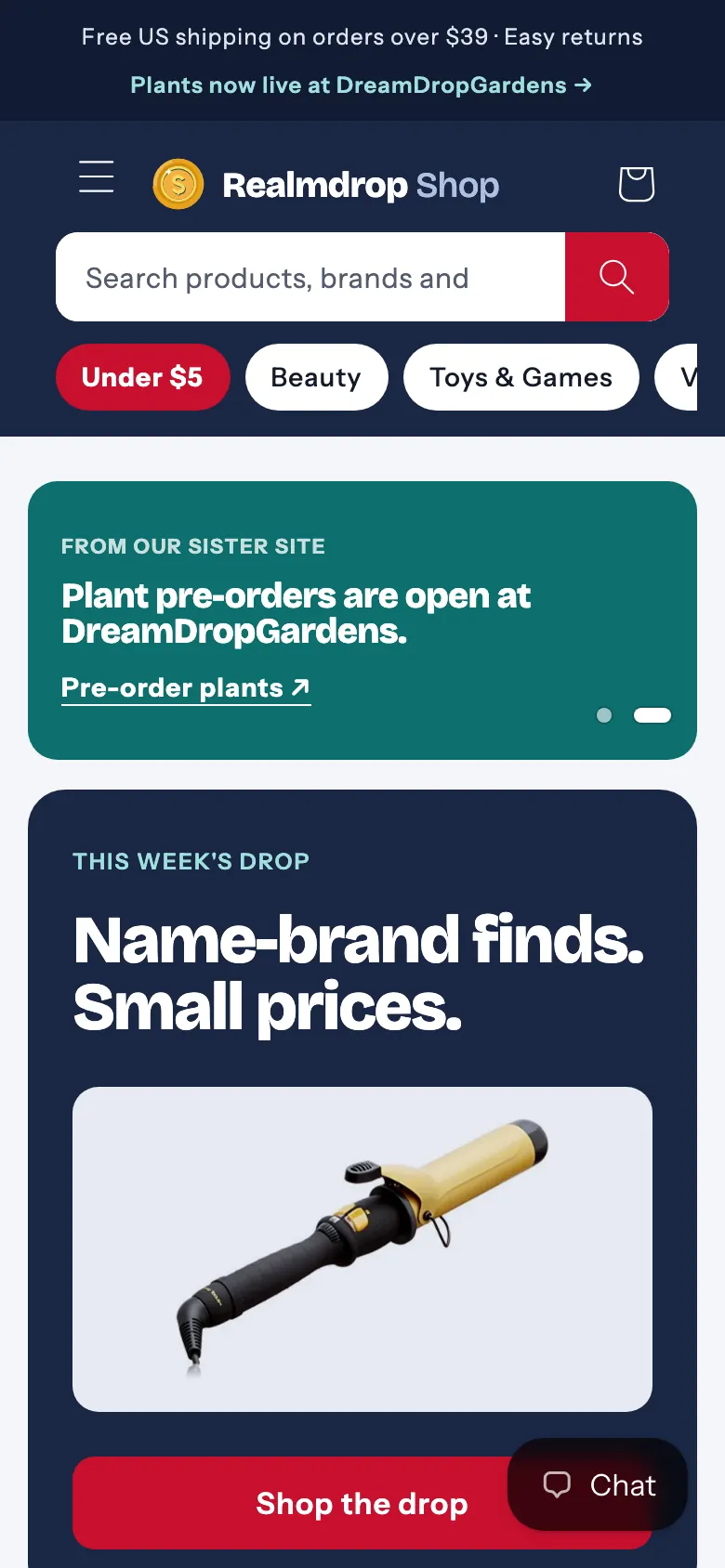
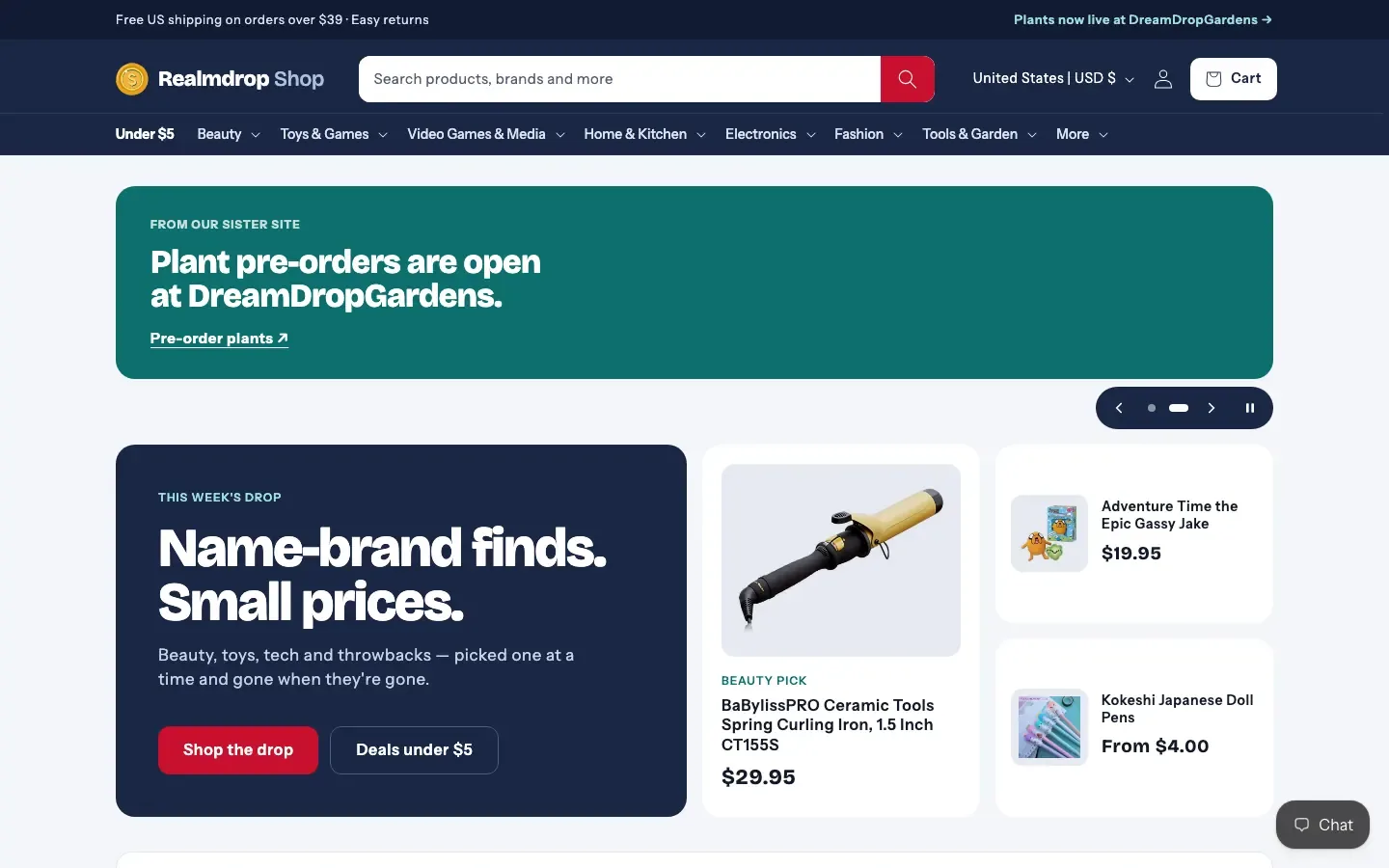
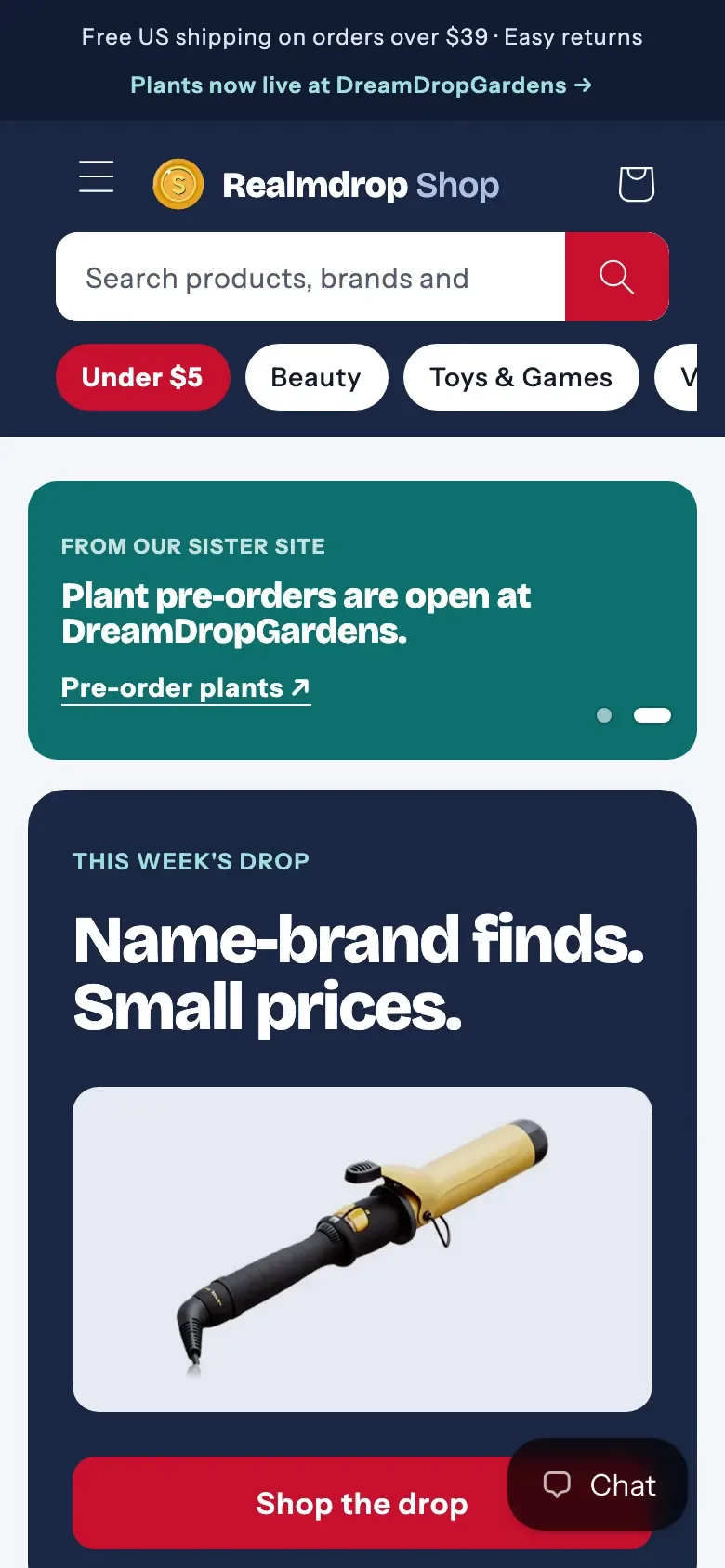
Before & after
The challenge
The shop ran Shopify's free Dawn theme with a few add-ons. Four constraints shaped everything we built.
The same Shopify store powers DreamDrop Gardens, a separate headless plant site. Products, collections and menus are shared — so the redesign could only touch the theme. Renaming one collection would have broken the other site.
We designed the new look first as HTML storyboards and built it in rounds — the main redesign, a second set of screens, then the footer, hero and logo. Each round was checked against a screenshot before the next.
Text, colours and images all had to stay editable in Shopify's theme editor — nothing hard-coded.
Order tracking, the eBay listing app and the SEO app all left files in the theme that had to keep working.
How we worked
We designed the storyboards, built and tested every screen, and prepared each release. The store owner made every go/no-go call and pressed publish.
We design the next screens as HTML storyboards.
Checked at phone, tablet and desktop widths.
Shopify's theme check before every push.
Every change saved in git first.
Never to the live theme.
After a diff, so editor changes are never lost.
Every version saved and reversible.
What changed
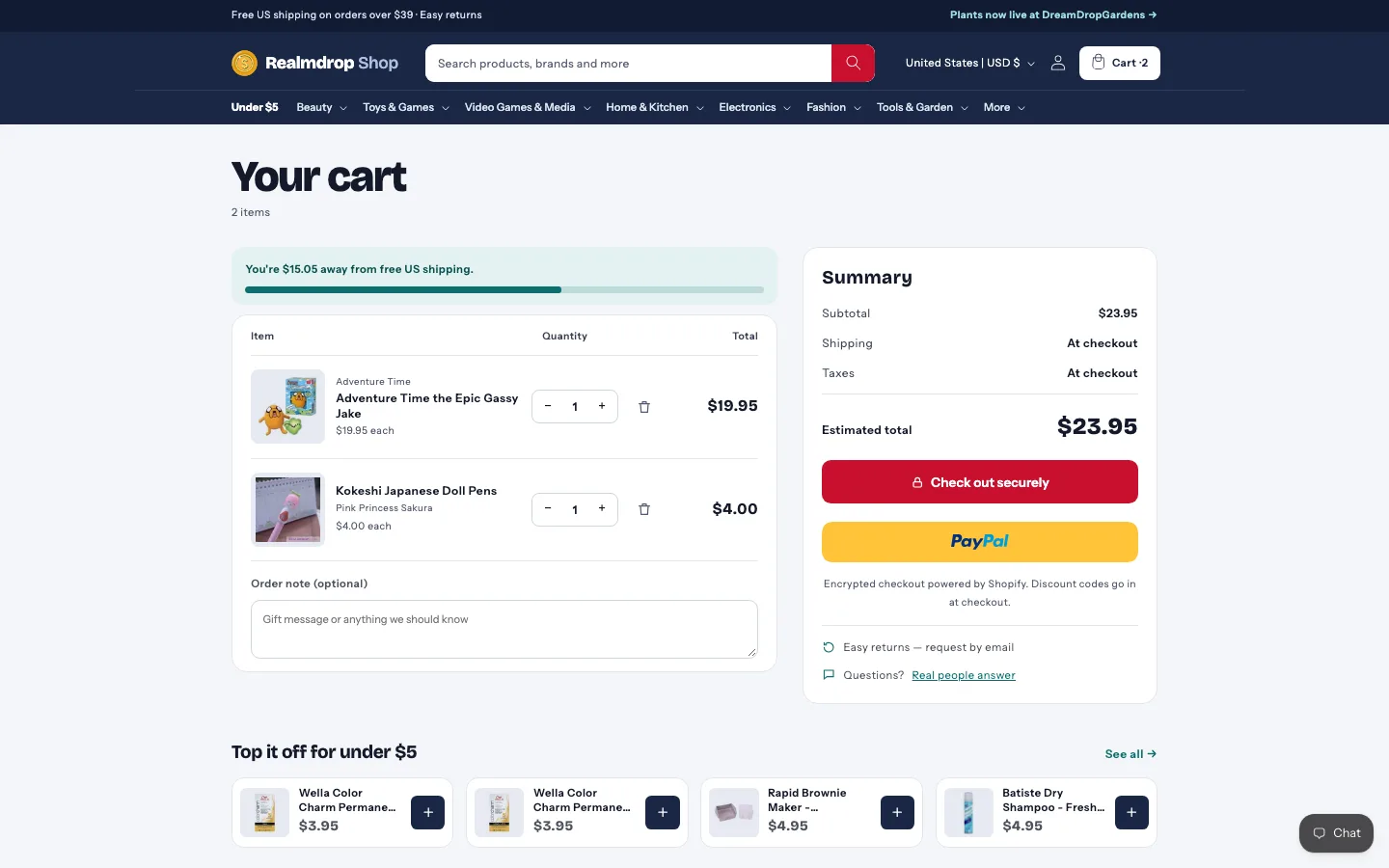
The old theme fought a store with a bit of everything. Almost every screen was rebuilt — as new sections beside Dawn's own files, so future Dawn updates stay possible.
Search hidden behind an icon
Search is always open in the header. On a store this size, search is how people shop.
Navigation that couldn't hold a store with everything
A department mega menu with a featured product in every panel.
A static banner that went stale
A moving carousel that supports GIFs, driven by a generated 2026–2032 holiday calendar — it switches to the next holiday on its own, even Eid and Easter, whose dates move every year.
Plants buried among everything else
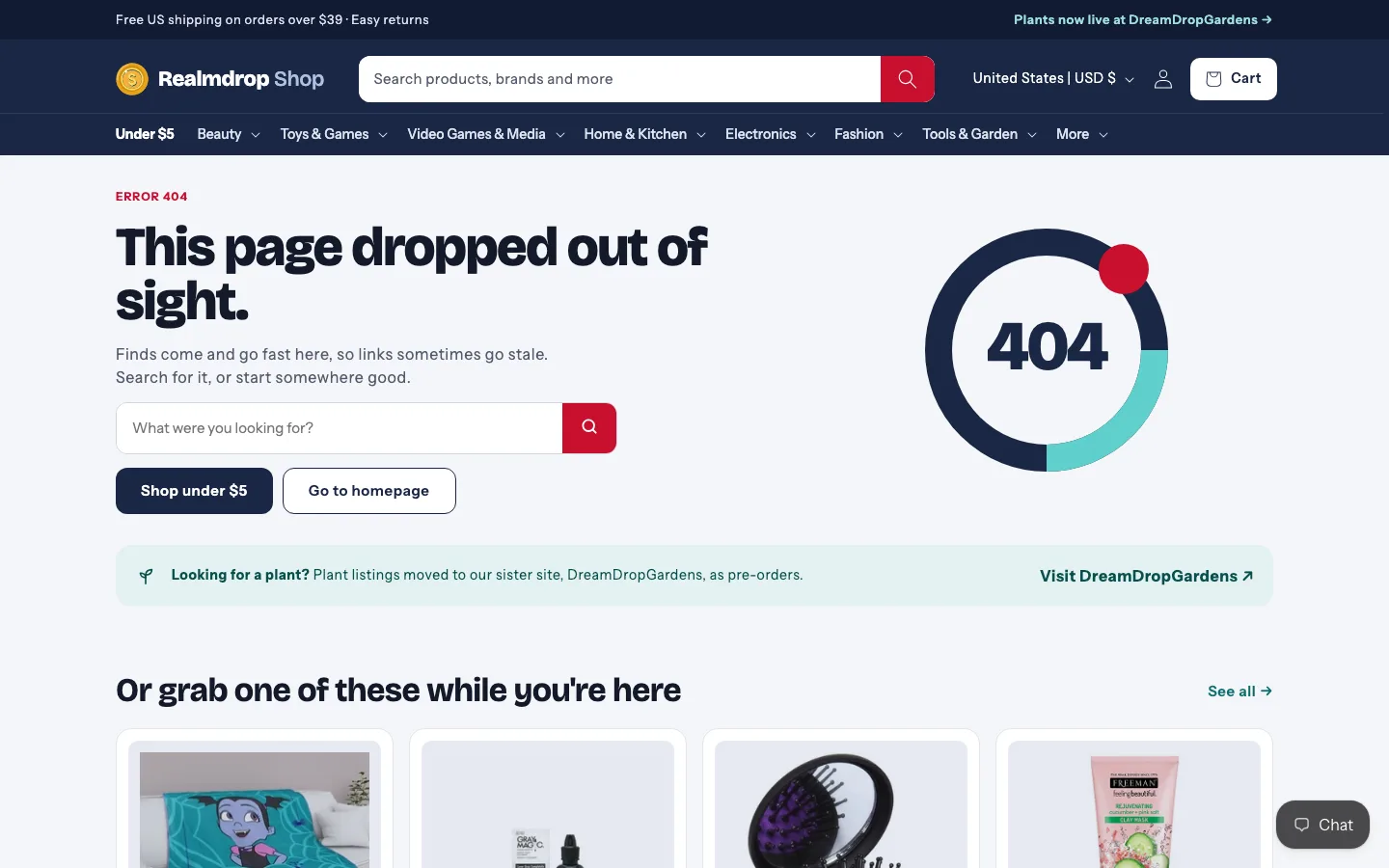
Plants get their own link in the top bar, straight to the sister site, DreamDrop Gardens.
Pre-orders easy to miss
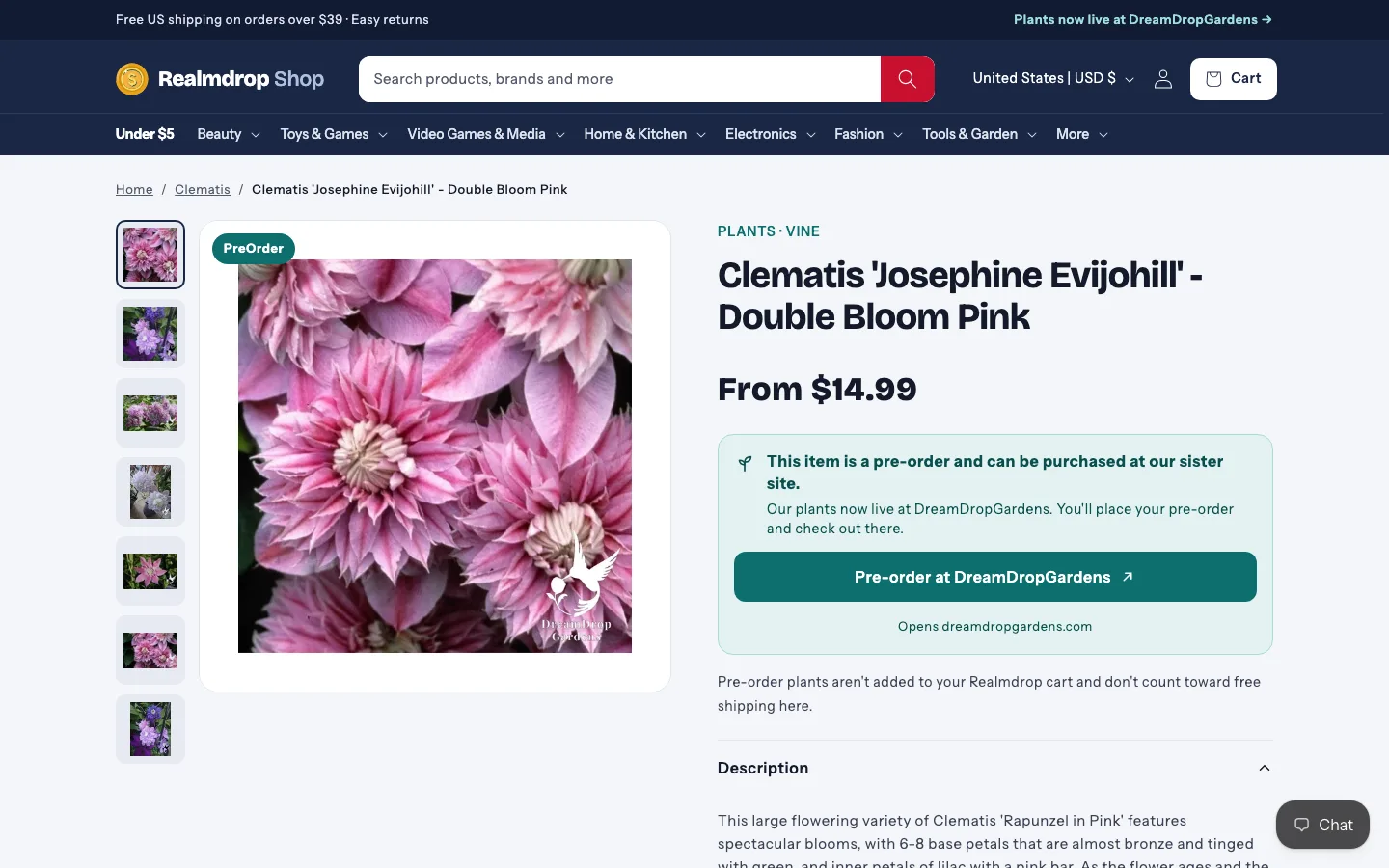
Pre-order product pages carry a clear PreOrder badge and send shoppers to DreamDrop Gardens to place the order. Pre-order is only checked when an item is sold out, so in-stock pages stay fast.
Stale, endless collection galleries
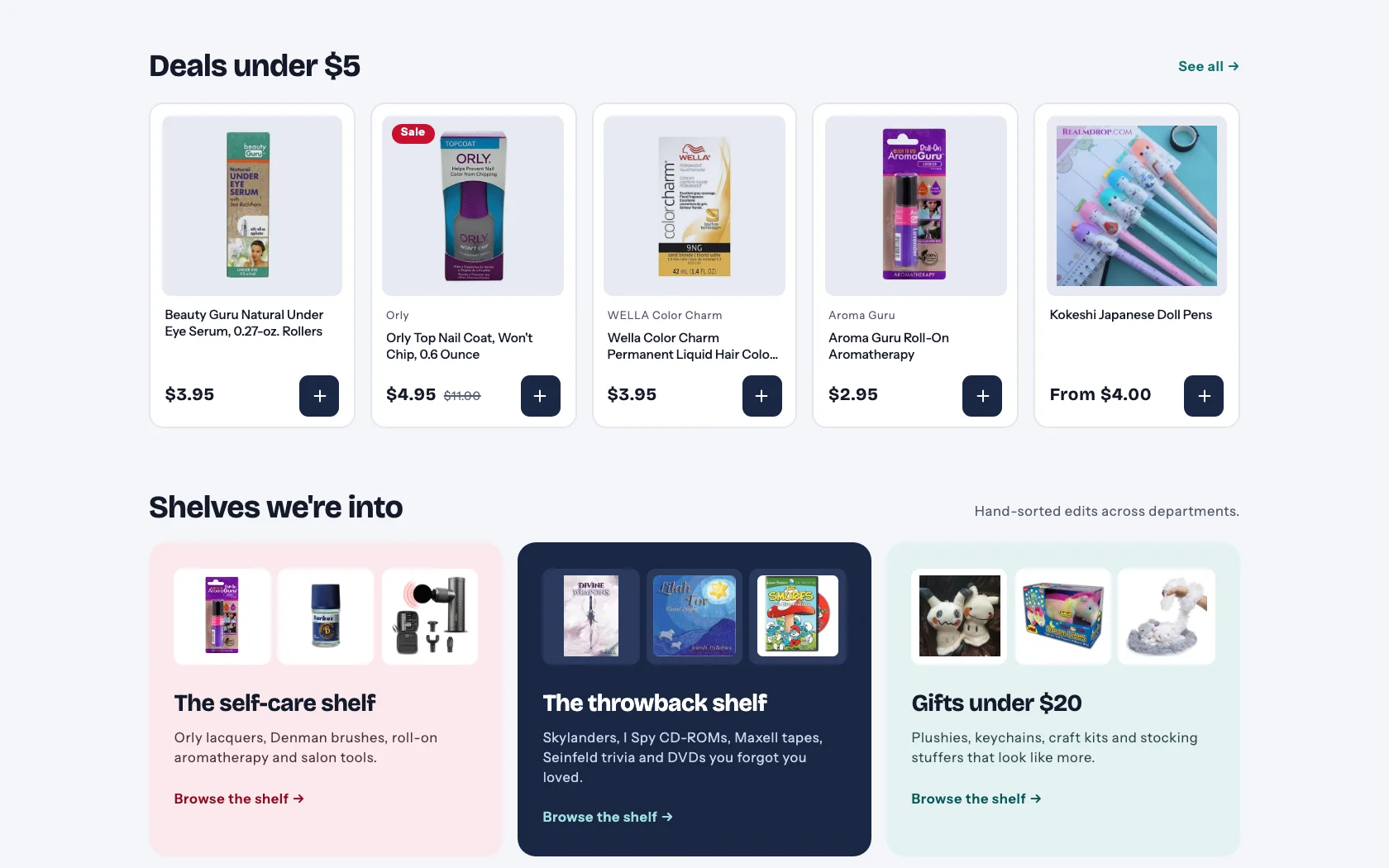
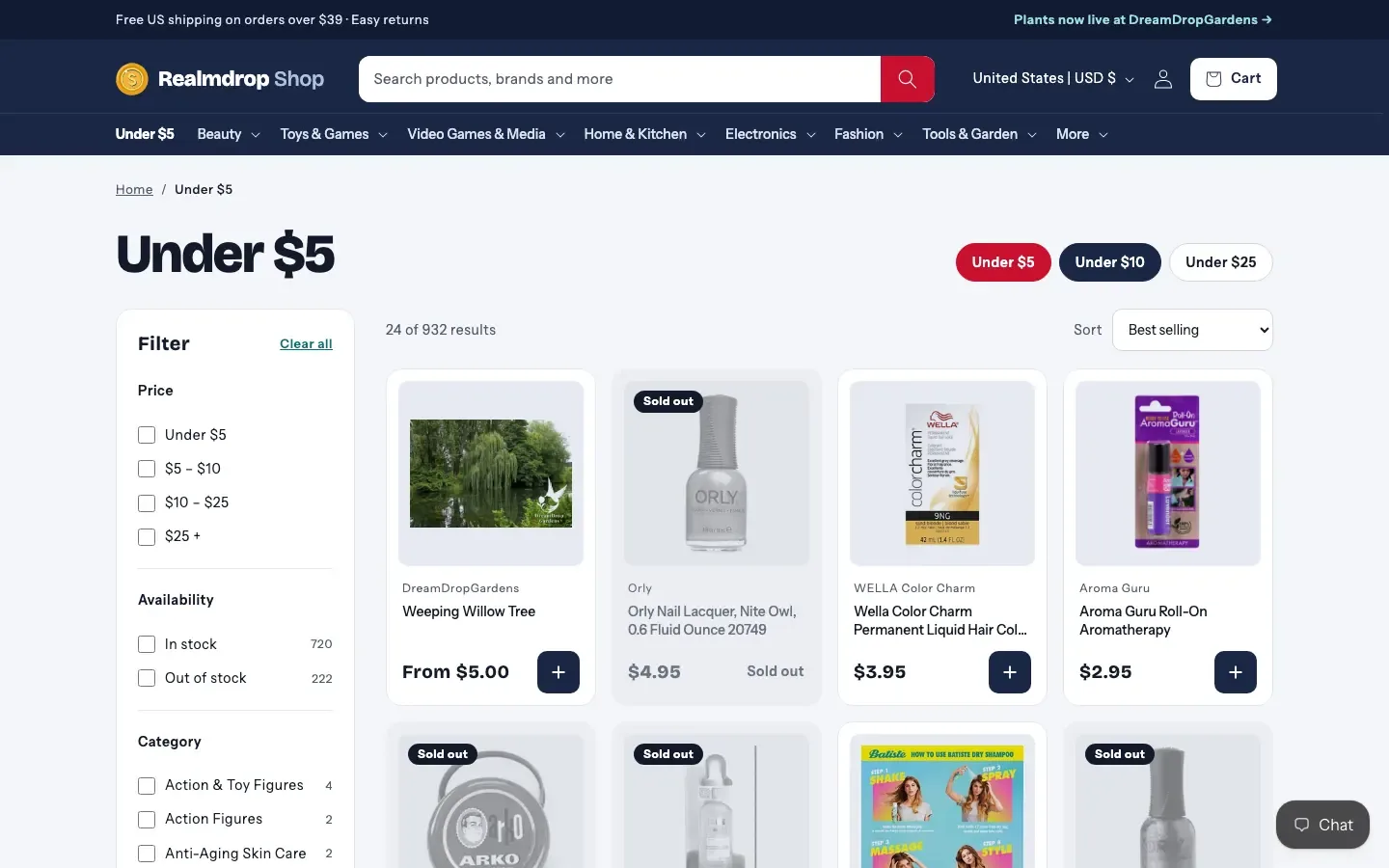
A layout built for browsing — deals and hand-sorted shelves from different departments, side by side, quick to scroll past and easy to scan.
Colours competing for attention
A balanced navy, marigold and teal palette, so products stand out and the frame stays quiet.
Sold-out items flashing red
Sold-out products fade into the background instead of grabbing the shopper's attention.
A blank page while the next one loaded
Branded loading states: a marigold bar across the top, marigold-on-navy spinners, and shimmering skeleton rows.
It only shows while a page loads, so the window shows it live.
Inside the new shop
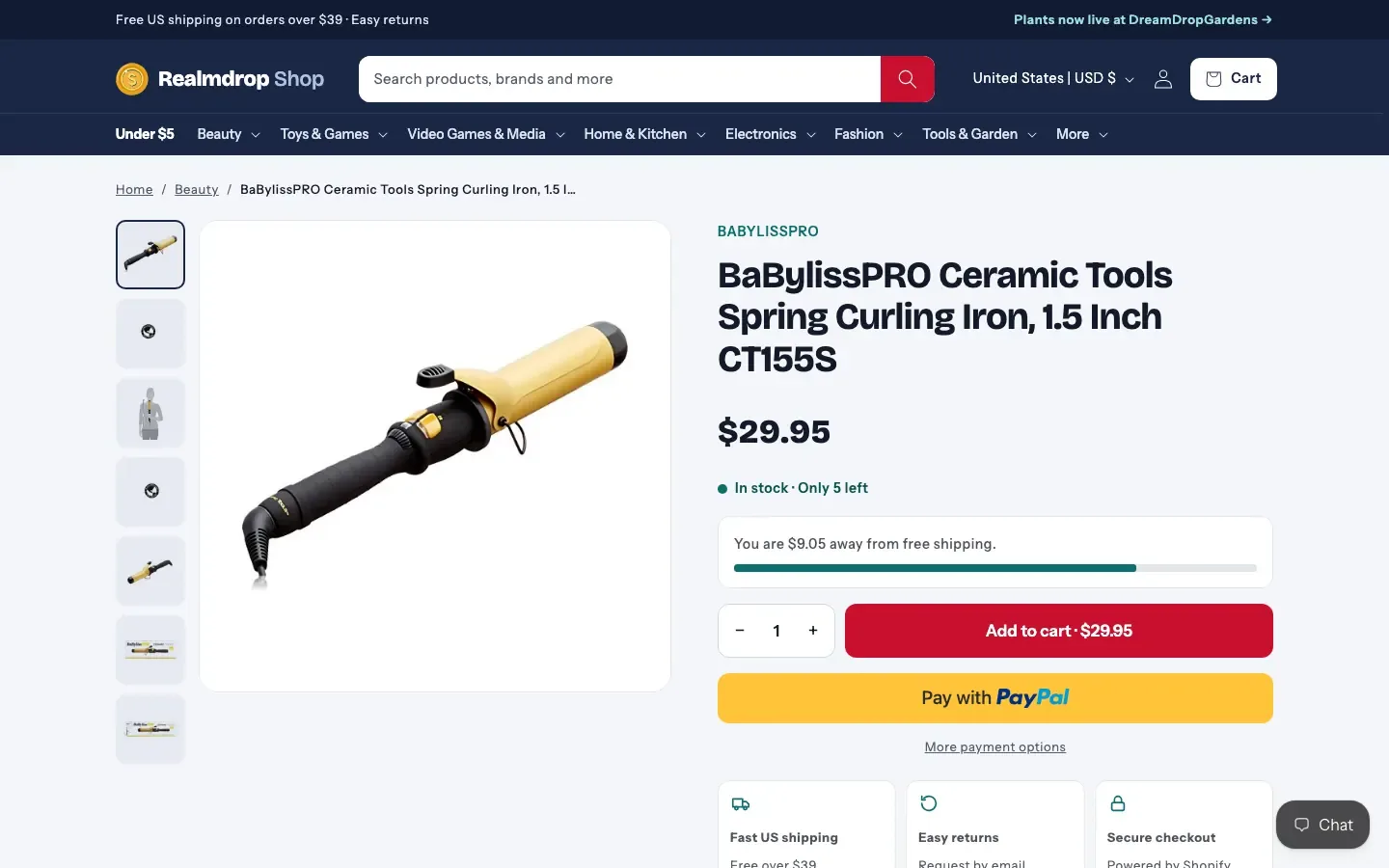
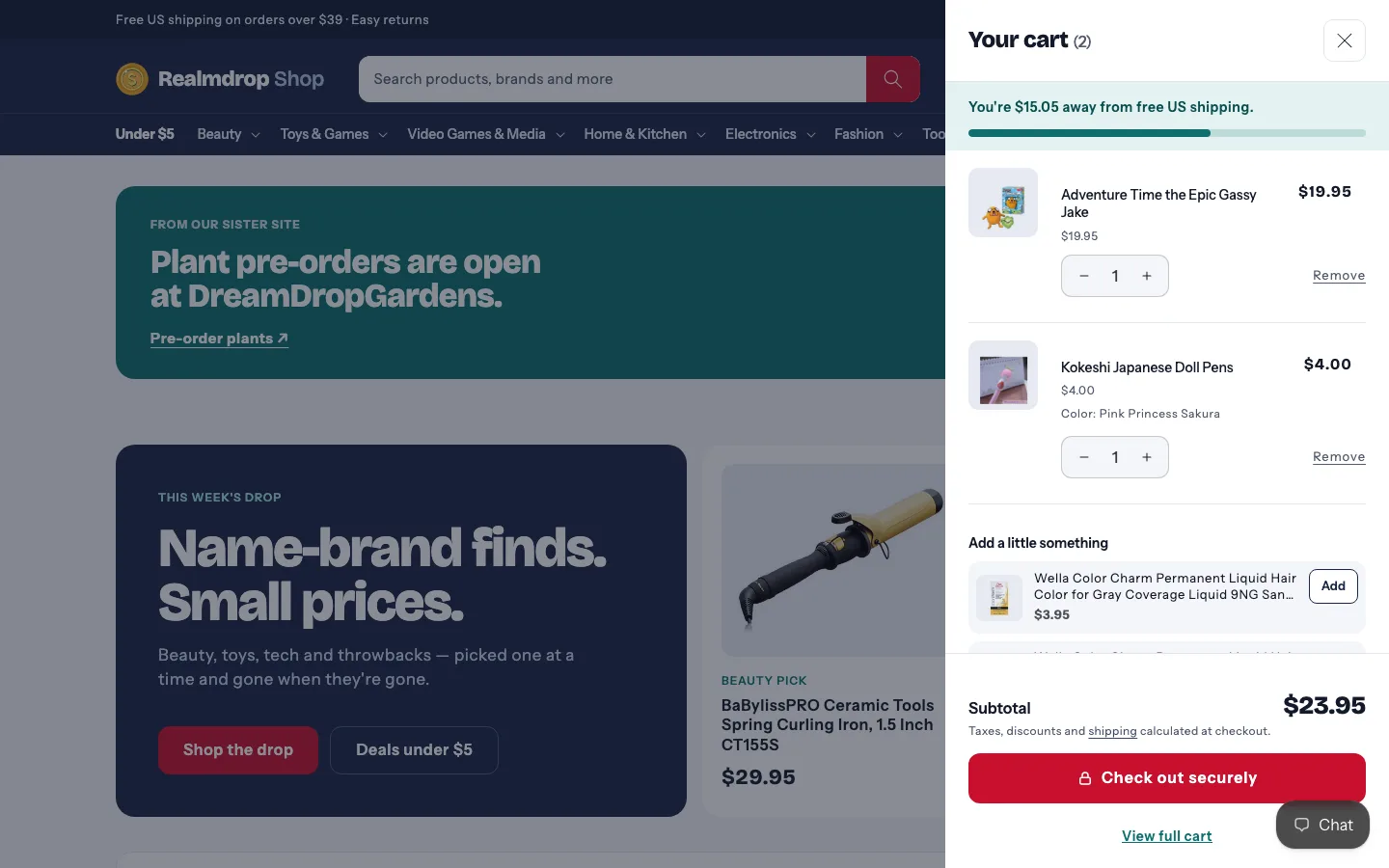
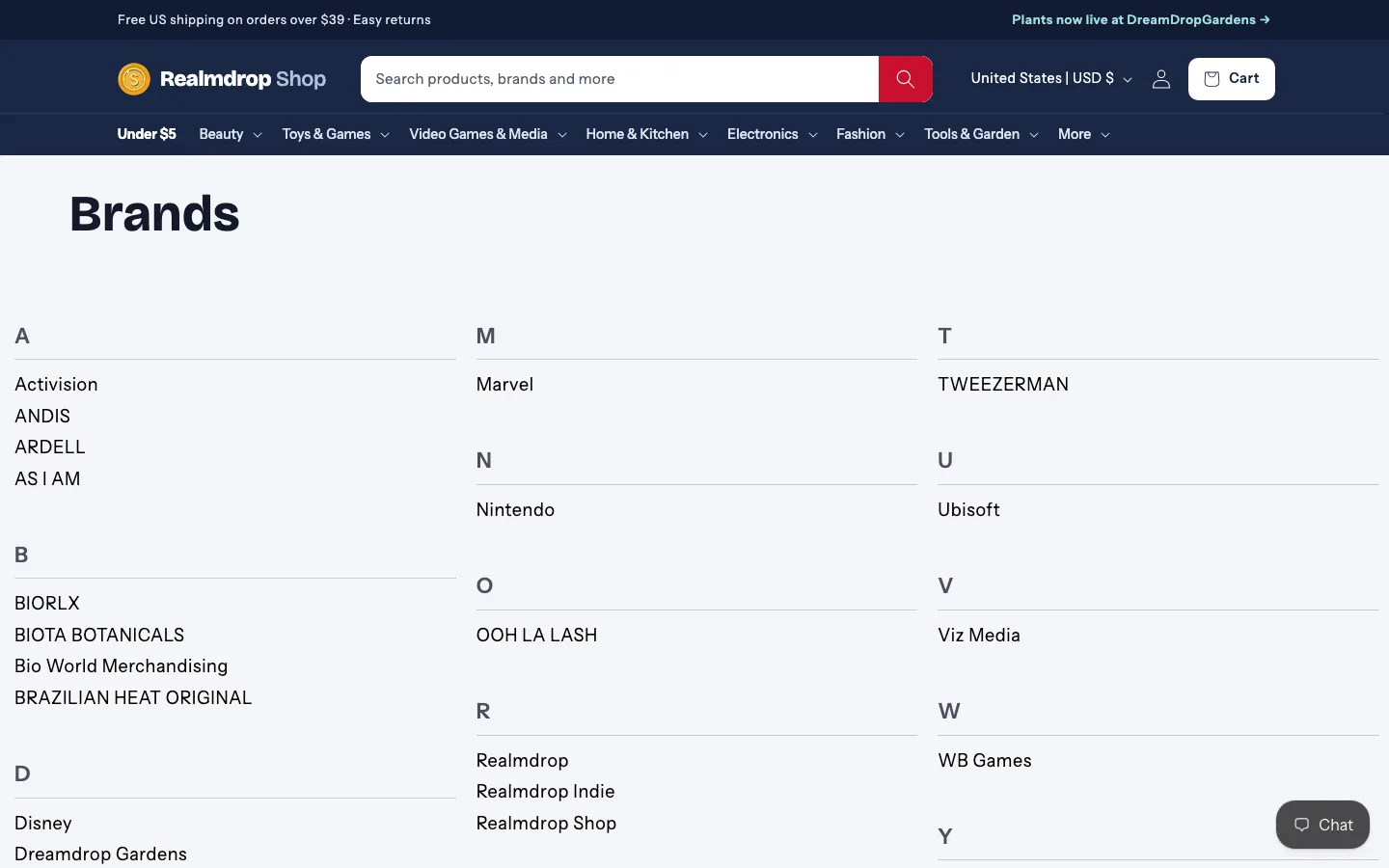
From the homepage to the cart to the 404 — 13 screens from the live shop. Swipe, use the arrows, or pick one by name.
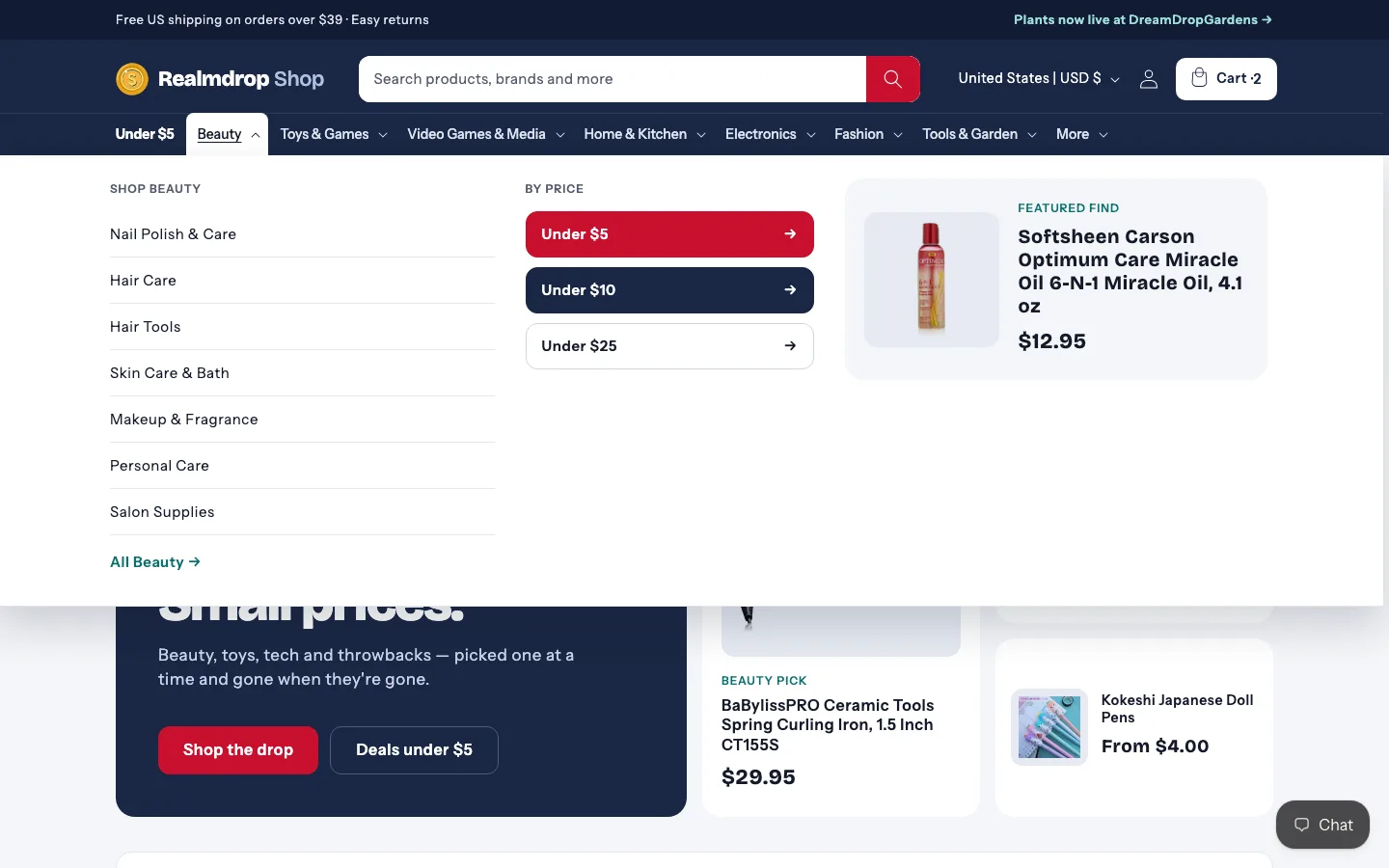
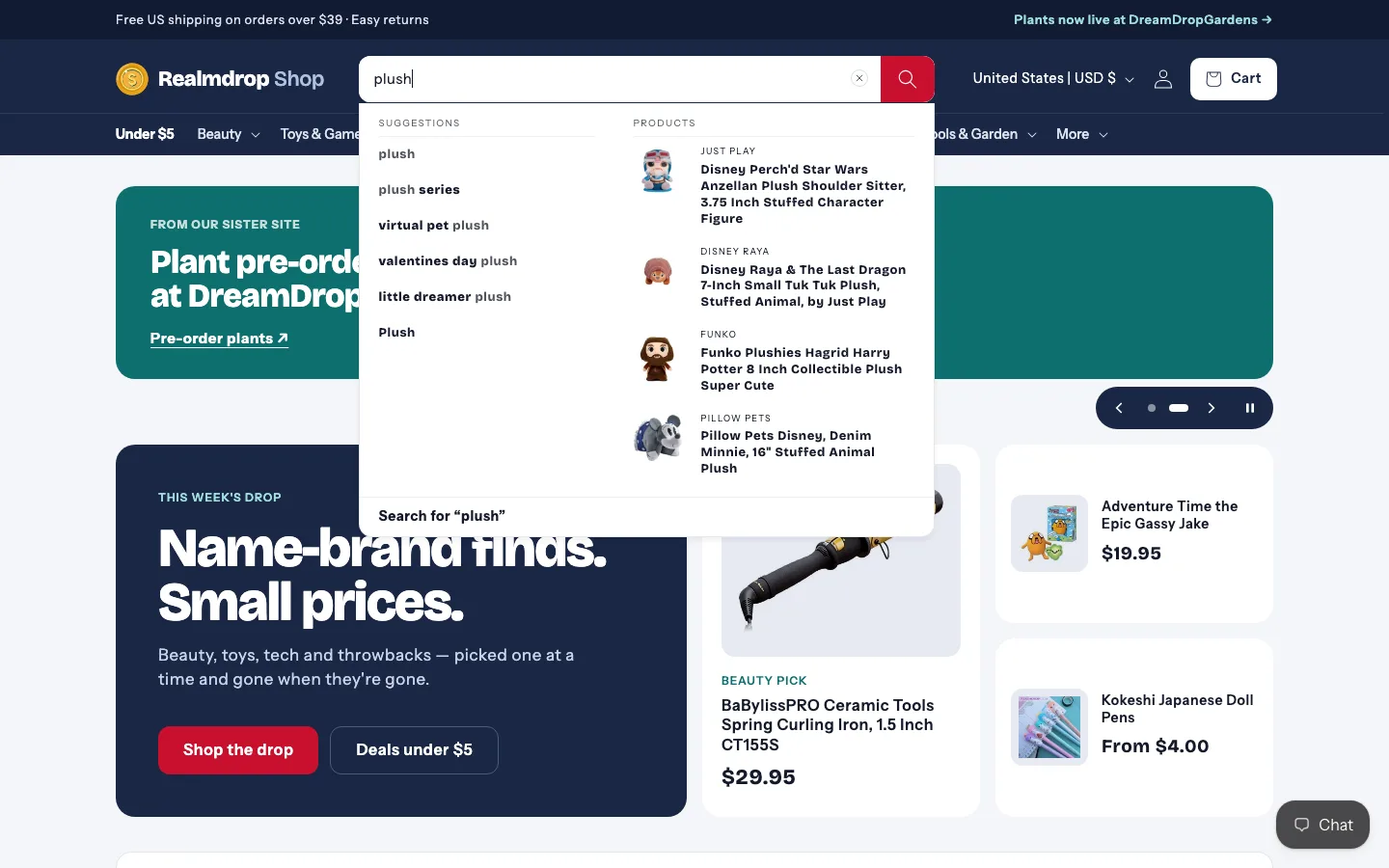
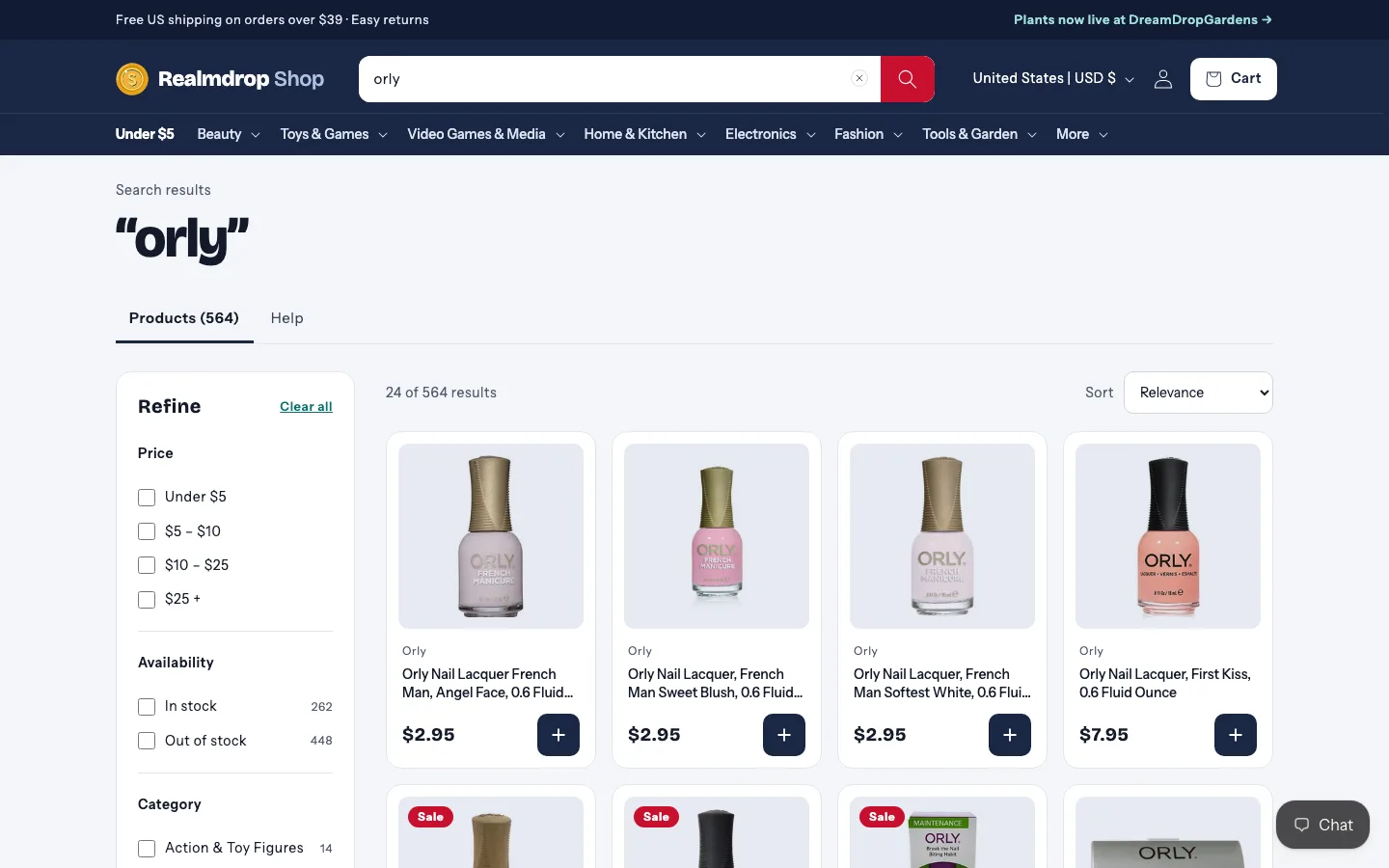
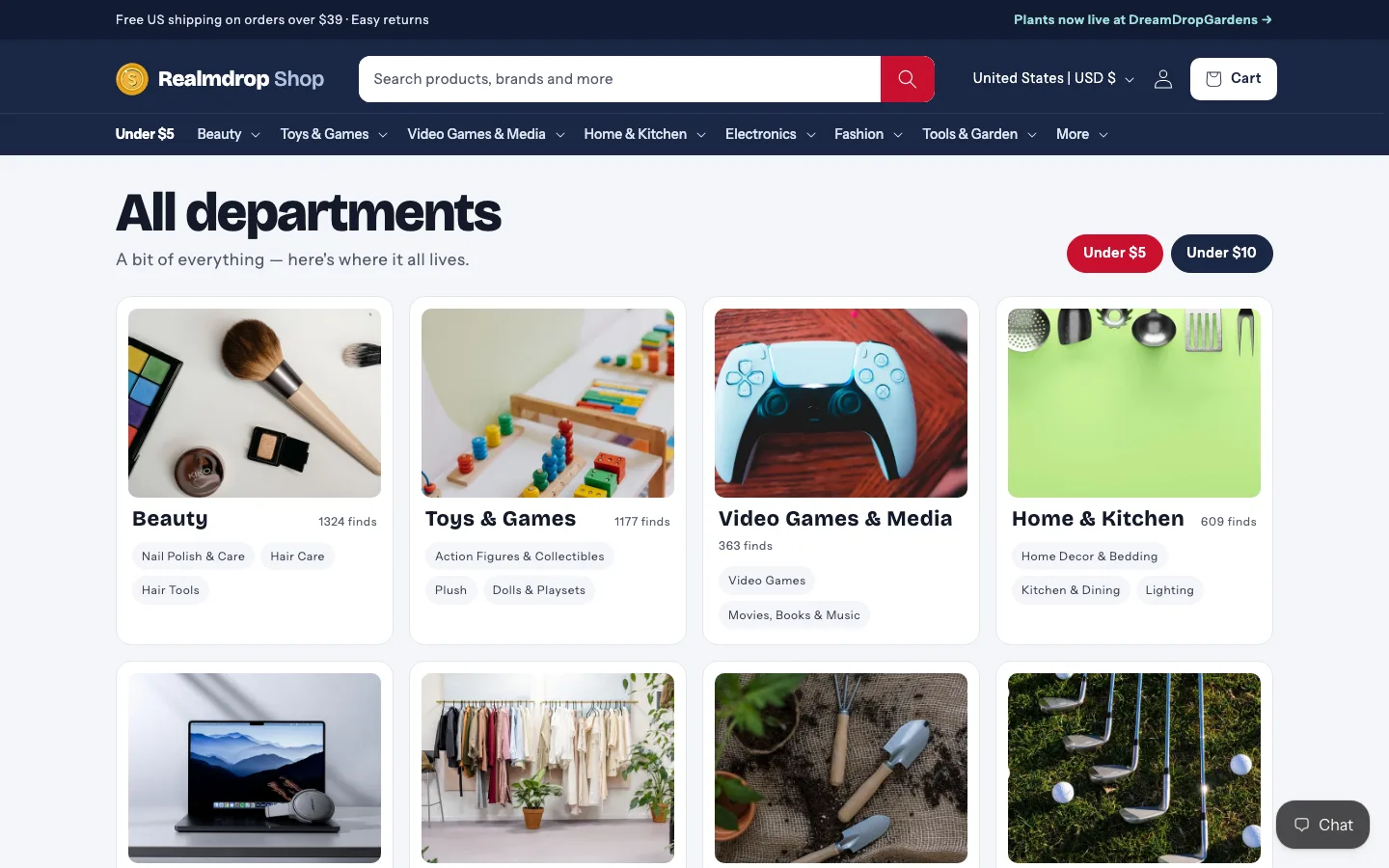
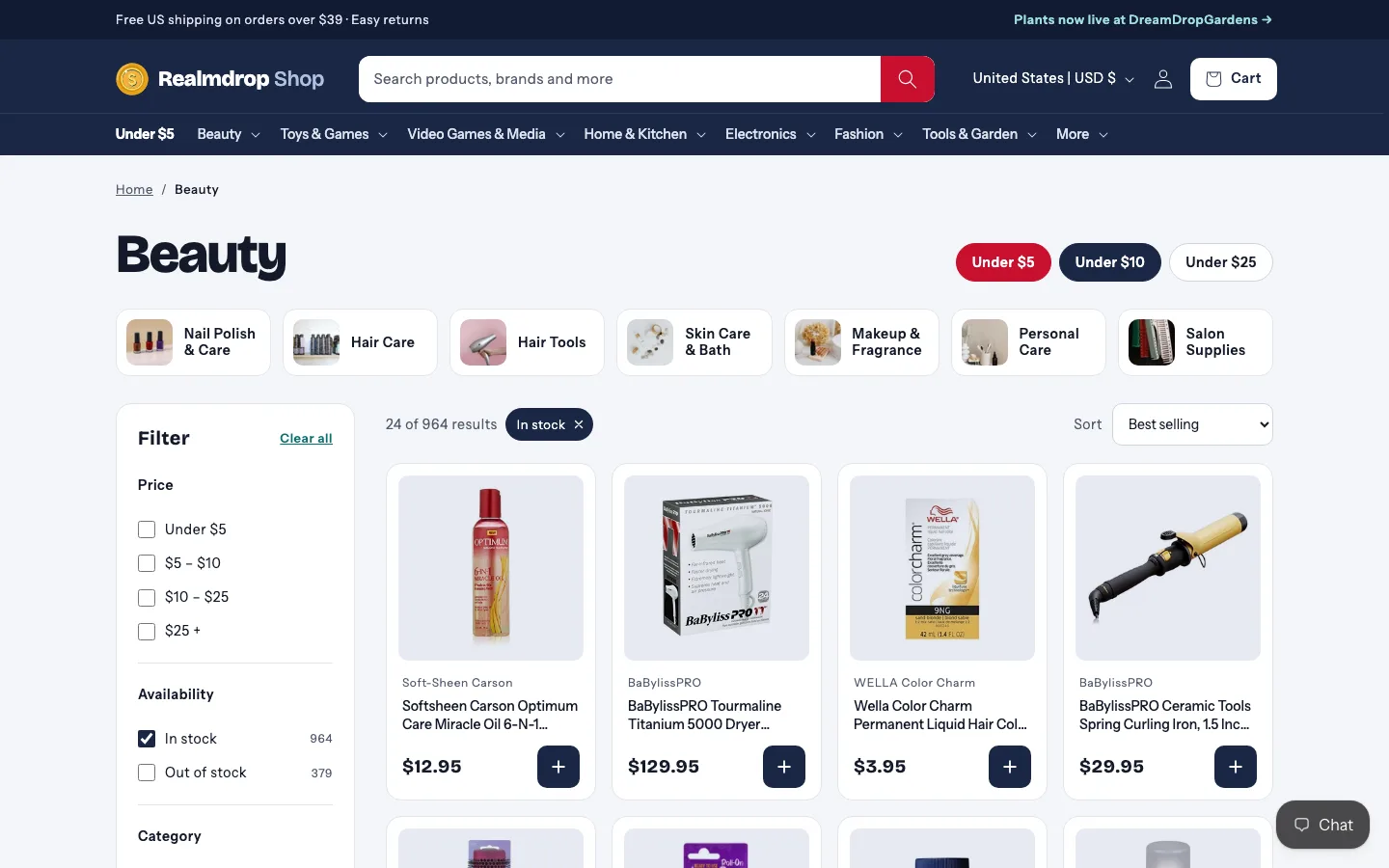
01 / 13
Home
A seasonal carousel, this week's drop, and shelves from every department — the store's range on one screen.
What went wrong
Every fix rolled forward as a new release — never patched live — and the version before it stayed one click away.
While a page loaded, the search spinner briefly showed as a huge ring over the header — its size came from a stylesheet that loads late.
Fix: The spinner's size now ships with the page, so it's small from the first frame.
Opening the menu on a collection page dimmed only the product cards — the page around them stayed bright, so the cards looked broken rather than covered by a menu.
Fix: The menu opens over the page without dimming anything — products stay readable behind it.
Sold-out cards were nearly identical to available ones, so shoppers clicked into items they couldn't buy.
Fix: Sold-out cards turn grey, get a “Sold out” tag, and lose the add button.
What we learned
Eight lessons, laid out the way the advice below says to: like a grocery flyer — the big idea up top, everything else in boxes you can scan in a second.
When you're designing a store that sells anything and everything, worry less about the branding and more about the layout. When in doubt, look at a grocery flyer.
A store with everything needs to put several departments in front of shoppers together, not one gallery at a time.
Colour is a pointer, not decoration — it should pull eyes to prices, deals and "Under $5".
A quick add button on every card turns browsing into a cart without a page load.
With dozens of departments, a mega menu with a featured product is how people find their way.
DreamDrop Gardens is visual — images sell plants. This store mixes high- and low-quality photos, so clear information and wide selection do more of the selling.
GIF support plus the slideshow brings movement in fast. We tried making the GIFs with AI connected to Canva — it can't animate, and it returned one flat AI image rather than editable Canva elements. GIFs were made by hand.
With a large selection, search is the main way in. A store with a few products can tuck it away; this one can't.
Behind the scenes, product categories were cleaned up so collections fill correctly — the layout only works if the right products land in it.
Conclusion
Realmdrop Shop didn't need a louder brand — it needed a layout that works like a grocery flyer: many departments at a glance, colour that points at prices, search that's always there, and a one-tap way to buy. The storyboard set the direction; the theme made it real, screen by screen.
Just as important was how it shipped. Every change went to a private copy first, the owner pressed publish, and every release was saved and reversible — seven of them in a day, with zero edits to the live store. When something slipped, it was fixed and rolled forward within the hour. That's the same process we bring to every client storefront.
Same store, second site
The same Shopify store powers DreamDrop Gardens — a headless storefront for roses, vines and pre-orders. Read how we built it.
DreamDrop Gardens case study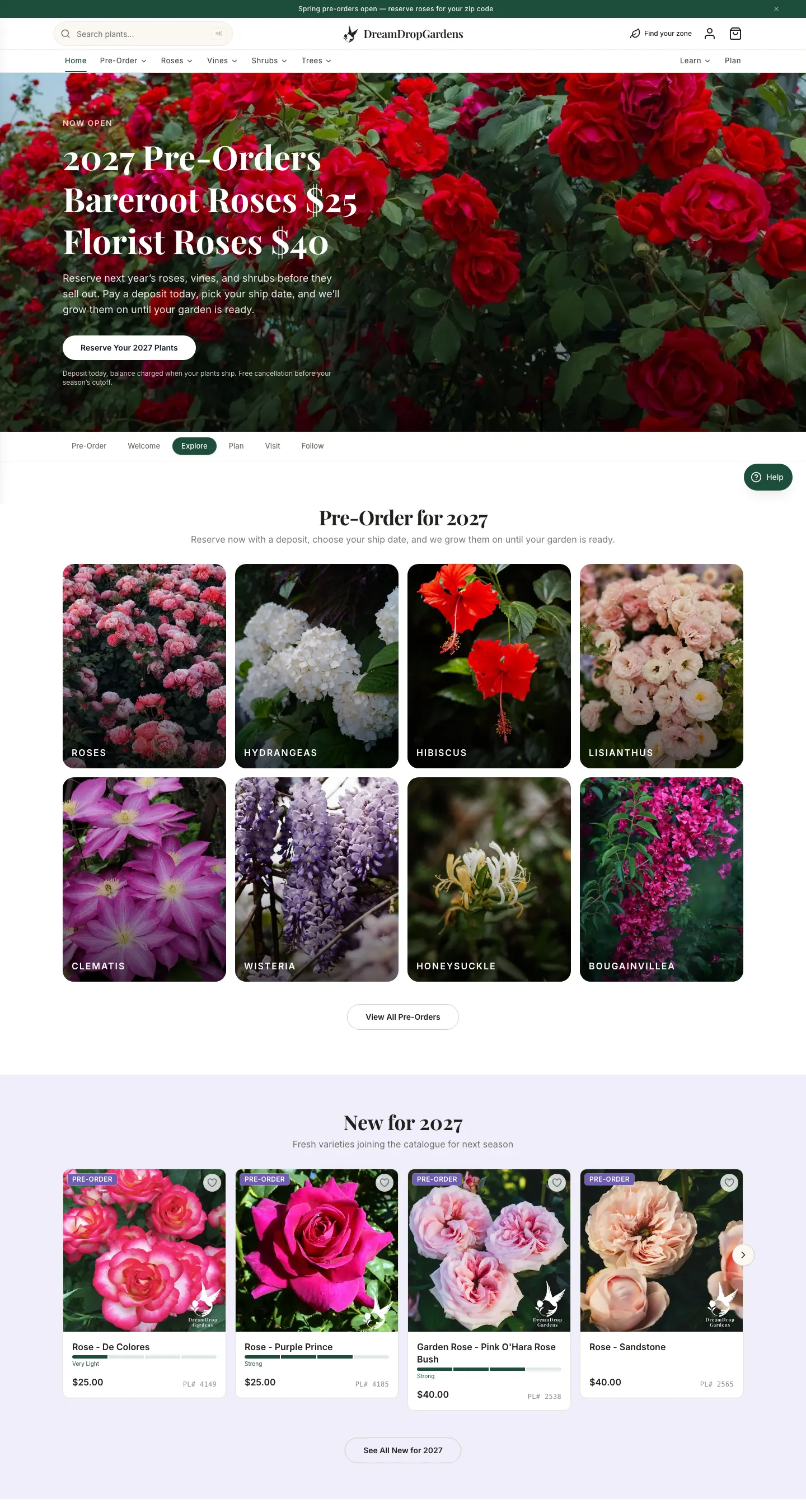
Outgrowing your theme?
We'll design the storyboard, build the theme, and ship it safely — without ever touching your live store.